Recording, reports and incident history
When a fault happens at 3 a.m., the probe has the packets. Record a flow to pcapng by hand, on a schedule, or on an event with the seconds before it. Incidents and ETR 290 errors stay in a history database for days.
- pcapng
- Event trigger
- Scheduled
- REST API
- CSV
- JSON
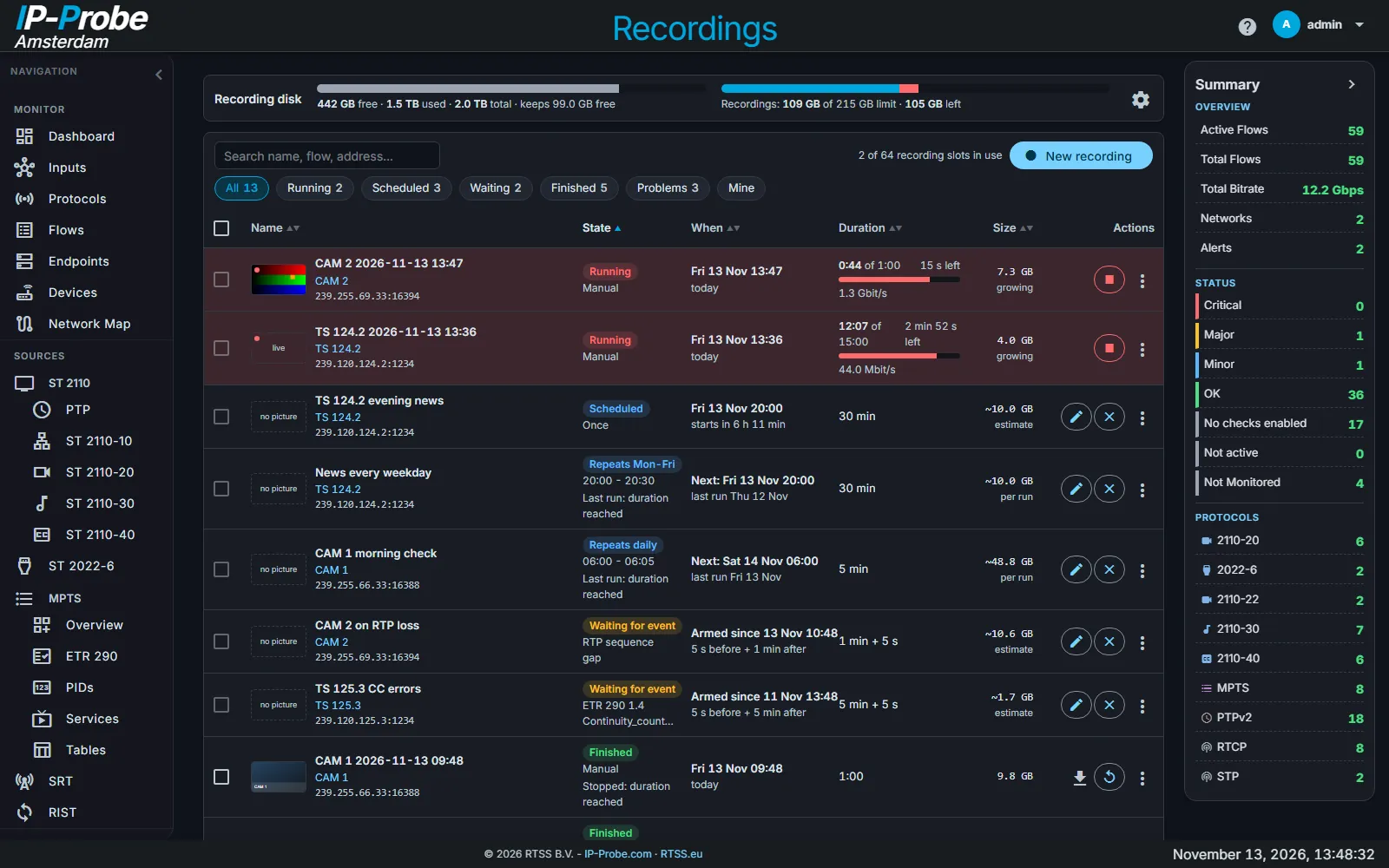
Record now
From the flow list (right-click or long press), the flow drawer or the flow page. A REC tag shows while it records.
Every day or on weekdays
Length as a duration or an end time, in the probe's time zone. Armed recordings survive a restart.
The seconds before the fault
Starts on an event of the flow and keeps the seconds before it, 5 s by default, so the file shows what led up to the fault.
Exact files, ready for analysis
- Several flows, a group, an input or all traffic, with a packet limit
- Exact length and exact packet count
- Warning when packets are missing because the disk could not keep up
- Disk space banner with free space, reserve and storage limit
- Start from a remote NOC through the REST API, download the pcapng
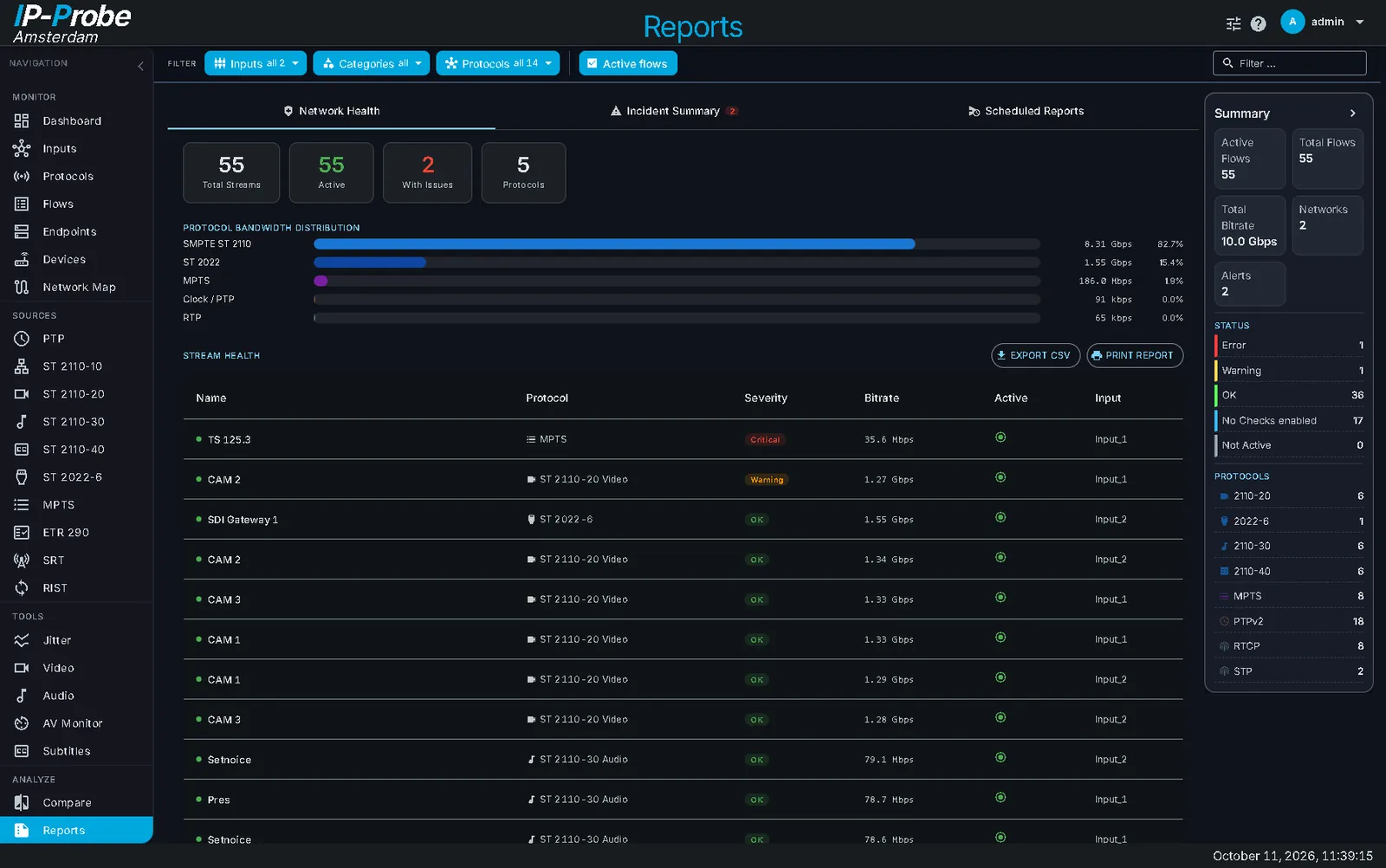
What happened last night
The history database keeps one episode per check and error period, and per minute the errors and errored seconds of each check.
- Live, last 24 h, 7 days, 30 days or a custom range
- Errors over time per check, episodes newest first
- 1 minute resolution for 24 hours, 10 minutes up to 7 days, 1 hour beyond
- The page address carries the range: send a link to a colleague
- Export as CSV or JSON, up to 100 000 rows
Reports and compare
- Flow health summary with status, bitrate and error counts
- Incident summary of the last 24 hours per type
- ST 2110-21 VRX compliance results
- Compare flows side by side
- Email digest daily or weekly: busiest flows, longest alarms, time to recover
Which options this needs
Recordings, reports, compare and history are part of the Base option. How licensing works.