Loudness, picture and A/V quality monitoring
See and hear what the flows carry. The AV Monitor and the Multiviewer show the pictures with their meters; checks raise an incident for loudness, black, frozen and out-of-gamut pictures, and keep the pictures as evidence.
- EBU R 128
- ATSC A/85
- EBU R 103
- ARIB TR-B32
- OP-59
- Dolby E
- AC-3
- E-AC-3
Picture and sound together
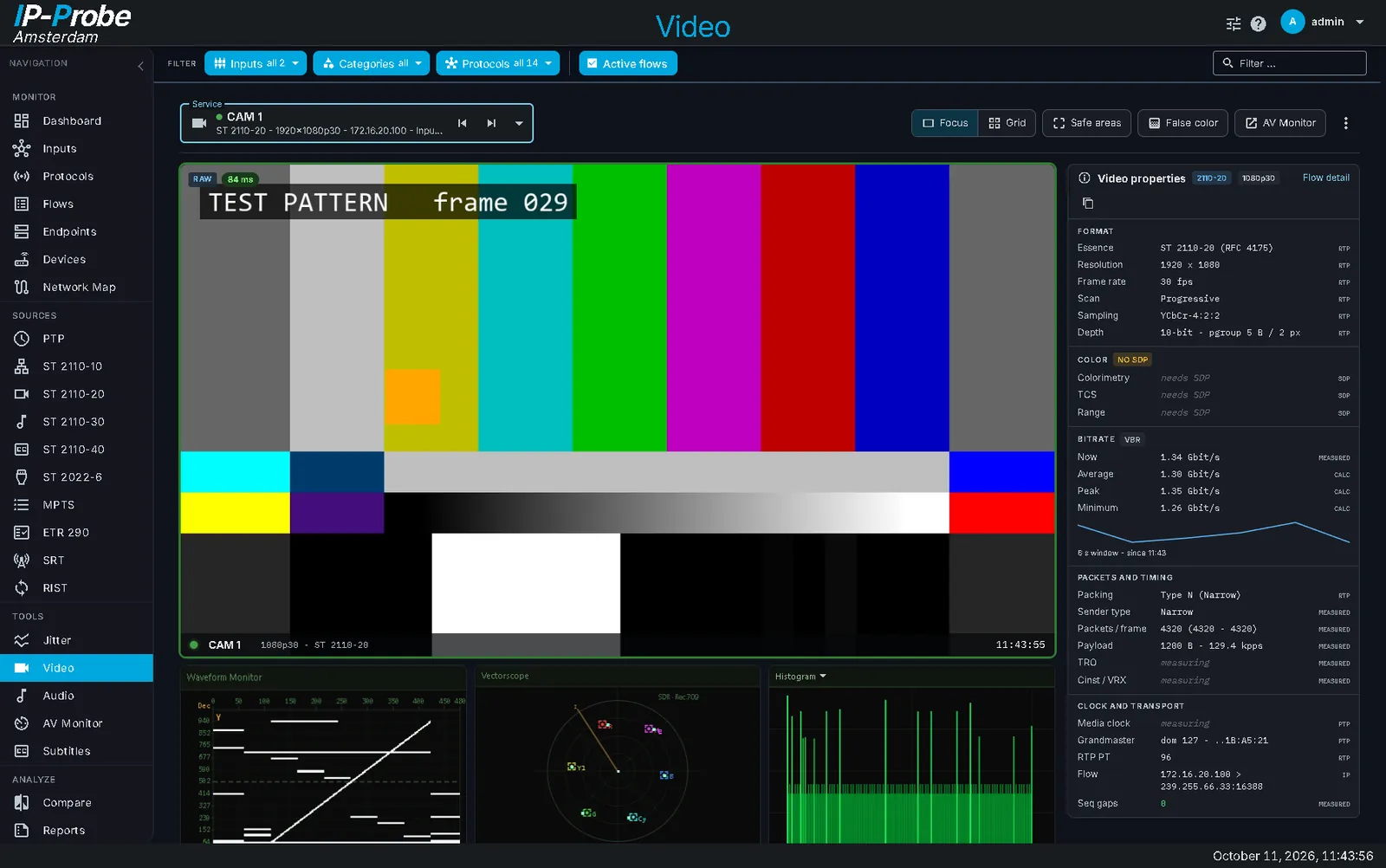
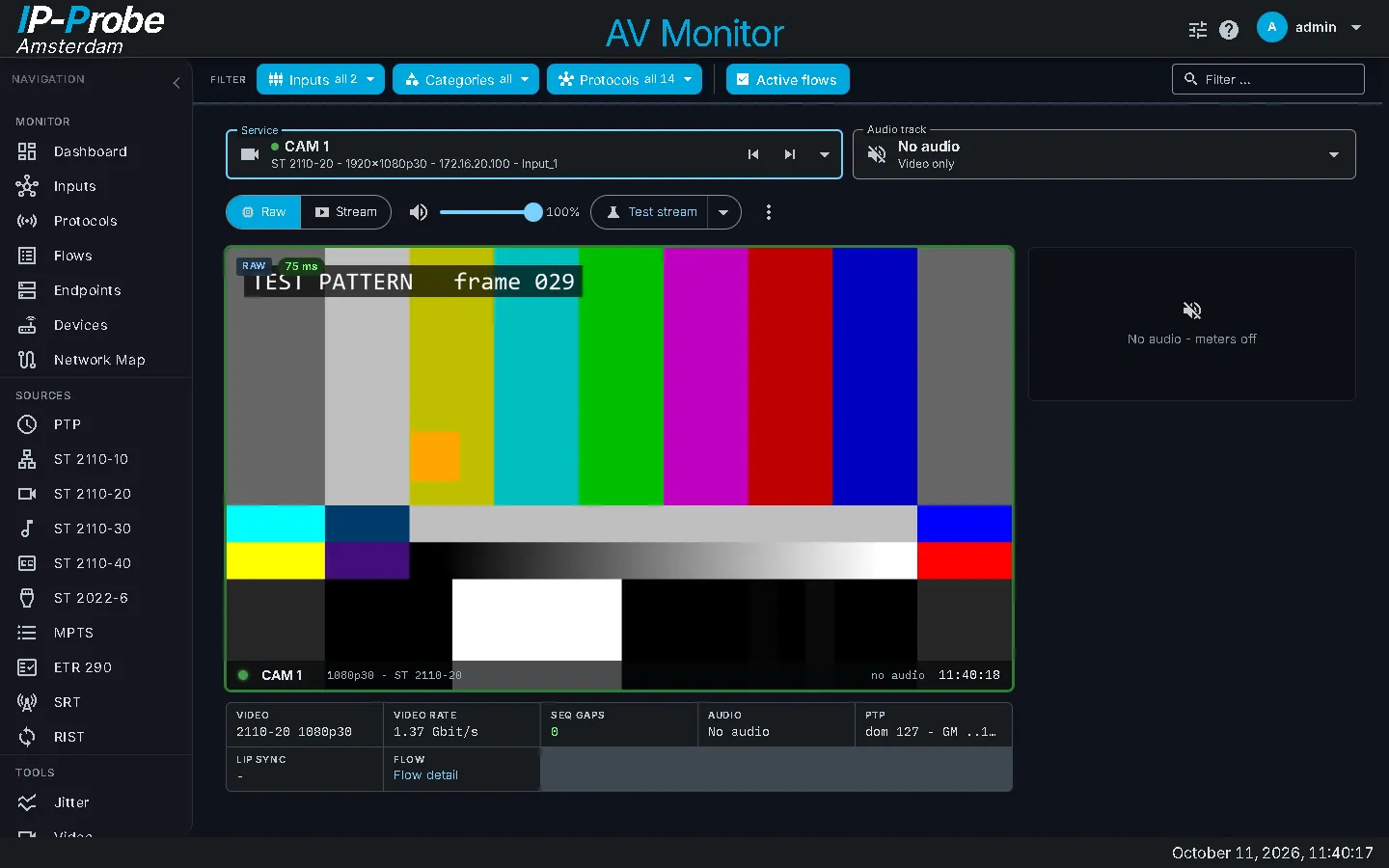
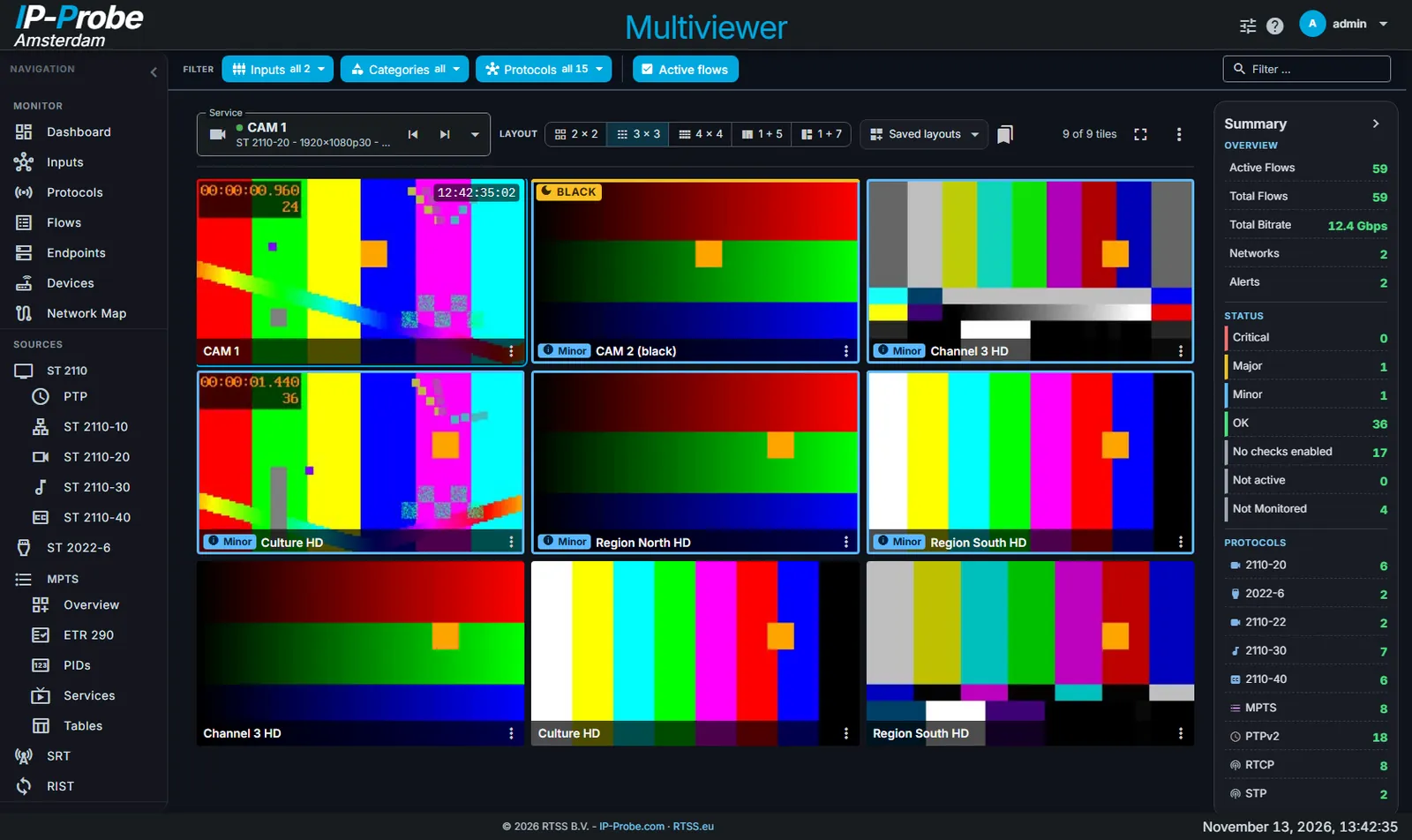
The AV Monitor shows a service with its audio meters and timing, to check lip sync and program quality. The Multiviewer shows up to 16 live pictures with alarm borders.
- AV Monitor: service picker, loudness meters, lip sync, several live viewers
- Multiviewer layouts 2 x 2 to 4 x 4, 1 + 5 and 1 + 7, saved per user
- NO SIGNAL, black and frozen marks with how long they last
- A tile badge lists its open incidents; double click opens the AV Monitor
- Works for ST 2110, ST 2022-6 and MPTS programs
One loudness standard, every limit follows
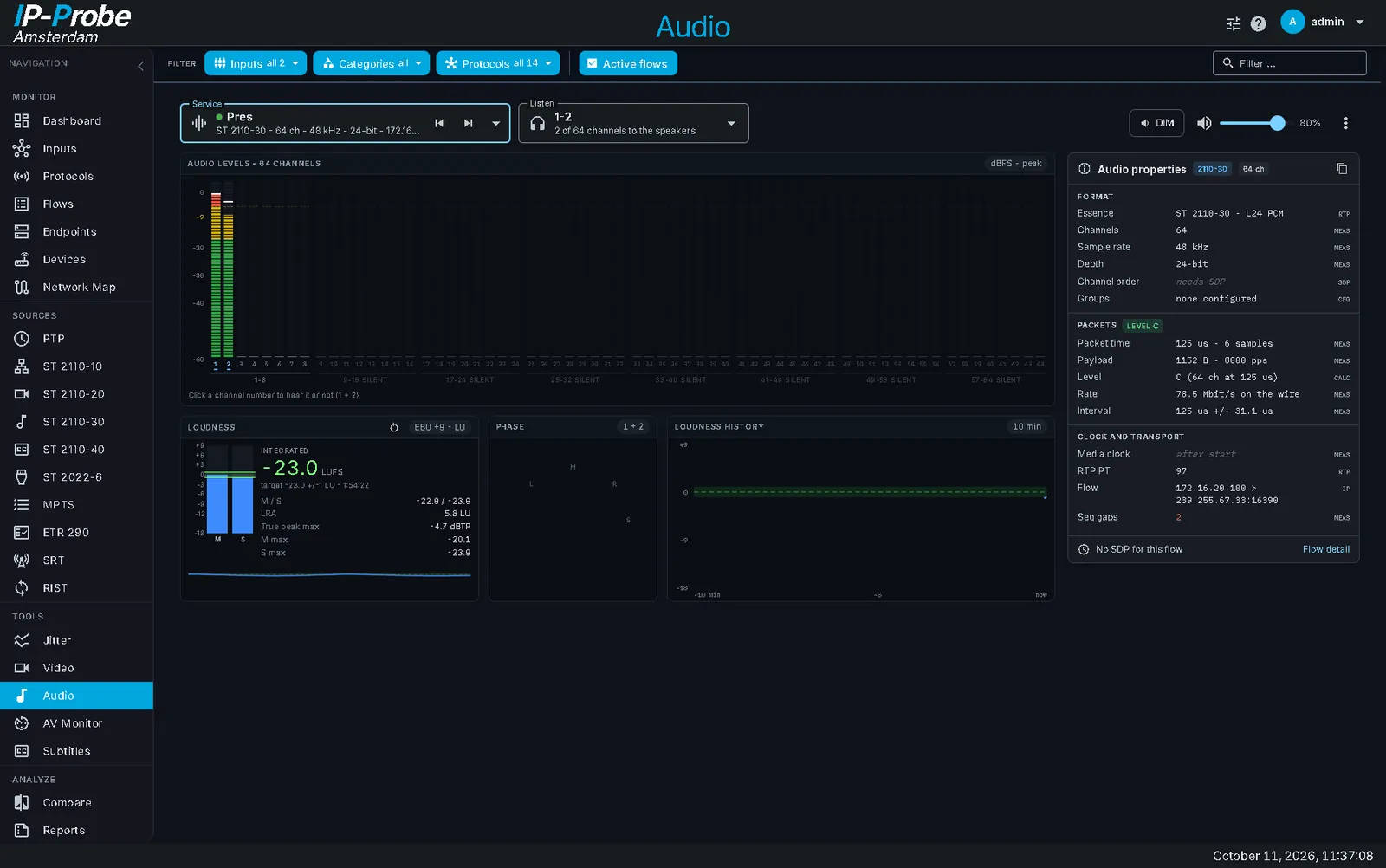
Choose the standard in Settings > Checks. The meters draw its target and limits, and every loudness check uses them.
- Momentary, short-term and integrated loudness, loudness radar, true peak between samples
- Too loud, too quiet, off target, true peak over, silence
- Incidents show the loudness around the episode with the target band
- AC-3 and E-AC-3 at their encoded level, dialnorm next to the measured value
- Level meters for up to 16 channels, solo per channel, goniometer, room meter for surround
| Standard | Target |
|---|---|
| EBU R 128 | -23 LUFS |
| ATSC A/85 | -24 LKFS |
| ARIB TR-B32 | -24 LKFS |
| OP-59 | -24 LUFS |
| Custom | your target and limits |
Live audio reaches the browser as AAC, about eight times less bandwidth than PCM.
Black, frozen, frozen and silent
Picture checks run on the probe, not in the browser, so they work with nobody watching.
Black and frozen picture
Sensitivity, judged area and named slate colors. A hint once a picture is still for 4 s.
Judged on I-frames
Compressed video: you set how many pictures a second the probe decodes, and see the CPU it costs.
Frozen and silent
A frozen picture with silent audio of its pair raises a critical alarm, also for MPTS programs.
Pictures kept
An incident keeps the last moving, the first frozen and the latest picture with the motion trace.
Out of gamut
Raises an incident when too much of the picture stays outside the R 103 limits. Off by default.
Decoded audio
AC-3, E-AC-3 and Dolby E are decoded for meters, loudness and listening. AC-4 is listed, not decoded.
Waveform, vectorscope, pixel values
The Video page and the AV Monitor add scopes to the picture.
- Waveform monitor, vectorscope and histogram
- Pixel inspector: the 10-bit values of a pixel of an ST 2110-20 picture, freeze, 4 pins and a zoom window
- False color from the 10-bit values: luma bands or EBU R 103 gamut, with a legend
- Safe areas and video properties overlay
Audio page
Which options this needs
Audio enables meters, loudness and listening; Video enables pictures, scopes and picture checks. Each is used with the protocol option of the stream: 2110, 2022-6 or MPTS. The AV Monitor opens with either and shows the part that is licensed. How licensing works.